01Chapter 1 of 12
Shell and navigation
Every portal page has the same shell.
Every portal page has the same shell.
Top bar
| Element | What it shows |
|---|---|
Logo VX VoxaLink | Click to return to Home. |
| Server / tenant chip | H {HOST_LABEL} with a ▼ to switch between Vodia servers/tenants you have access to. The example deployment shows H Demo Server. |
| Search anything… | Global search across people, accounts, numbers, calls, recordings. Keyboard shortcut ⌘K. |
| Help | Opens the help center. |
| Sign out | Ends the session. |
| Account avatar | Shows your initial. Click for account actions. |
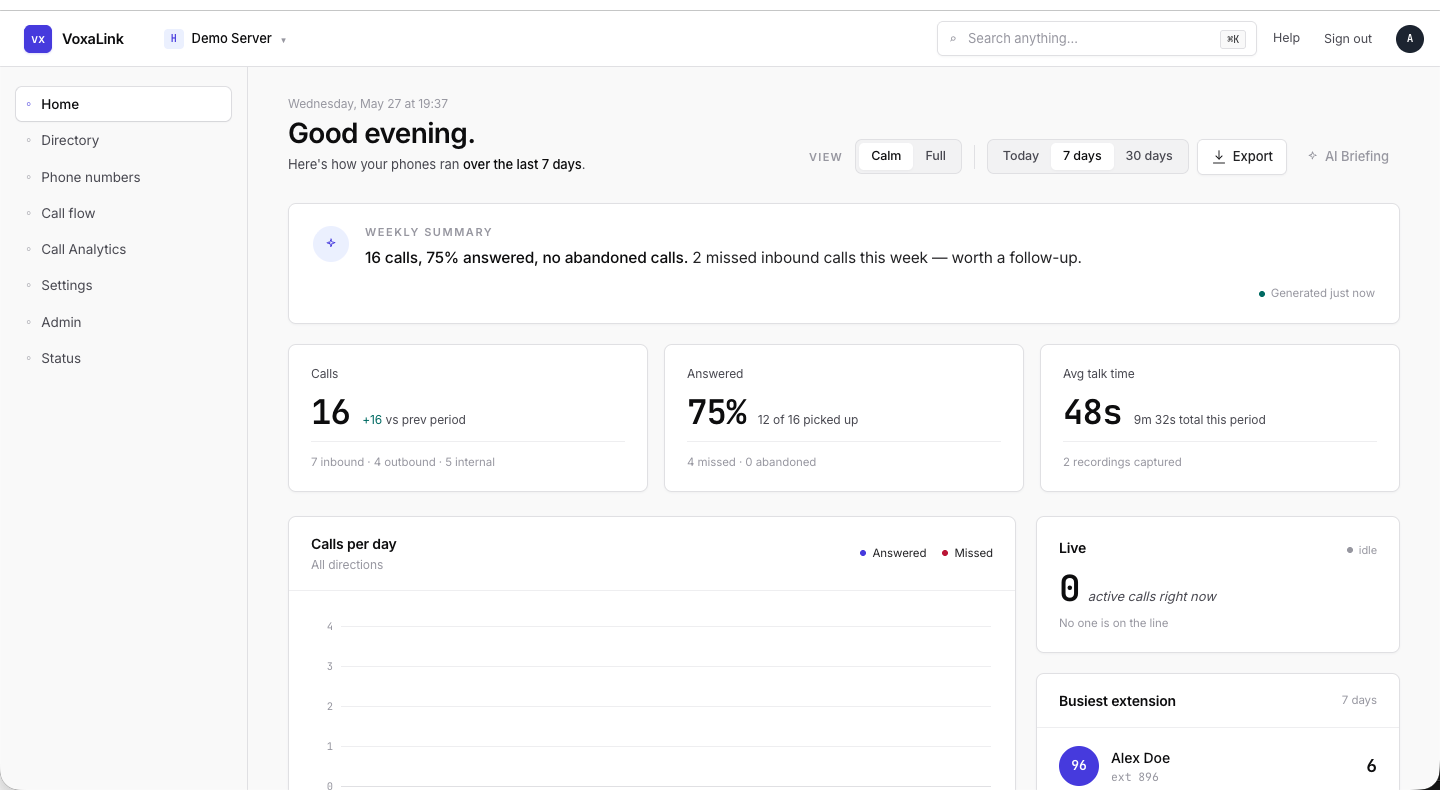 Top bar at 1440 wide — server chip, search, help, sign out, avatar.
Sidebar
The left sidebar is the primary navigation. It has eight sections.
| Section | What lives there |
|---|---|
| Home | The "Good morning" dashboard — weekly summary, KPIs, charts, recent activity, pipeline health. |
| Directory | People (extensions). Add, edit, bulk-import. |
| Phone numbers | Inbound DIDs and outbound dial plans. |
| Call flow | Voice agents, auto attendants, conferences, ring groups, call queues, paging groups, service flags, park orbits. |
| Call Analytics | Searchable call history with AI transcript search, sentiment, MOS, and recording playback. |
| Settings | Tenant-wide defaults: general, address book, voicemail, groups, music on hold, audio library, star codes. |
| Admin | Tenant administration: webhooks, devices, locations, location assignments, button templates, templates, parameter overrides, user page control, CRM integrations. |
| Status | Live system: active calls, registrations, graphs, recorded calls, call log. |
The sub-pages of the active section appear beneath the section name.
Workspace identity
Pinned to the bottom of the sidebar:
| Element | What it shows |
|---|---|
WORKSPACE label | A small uppercase header. |
| Tenant display name | e.g., Acme. |
| Vodia host | e.g., acme.example.com. |
If either is wrong, sign out and back in or use the server/tenant chip in the top bar to switch.
URL pattern
Every portal page lives under /portal. Deep links such as /portal/calls?range=7d are shareable and reproduce the same view for a teammate.
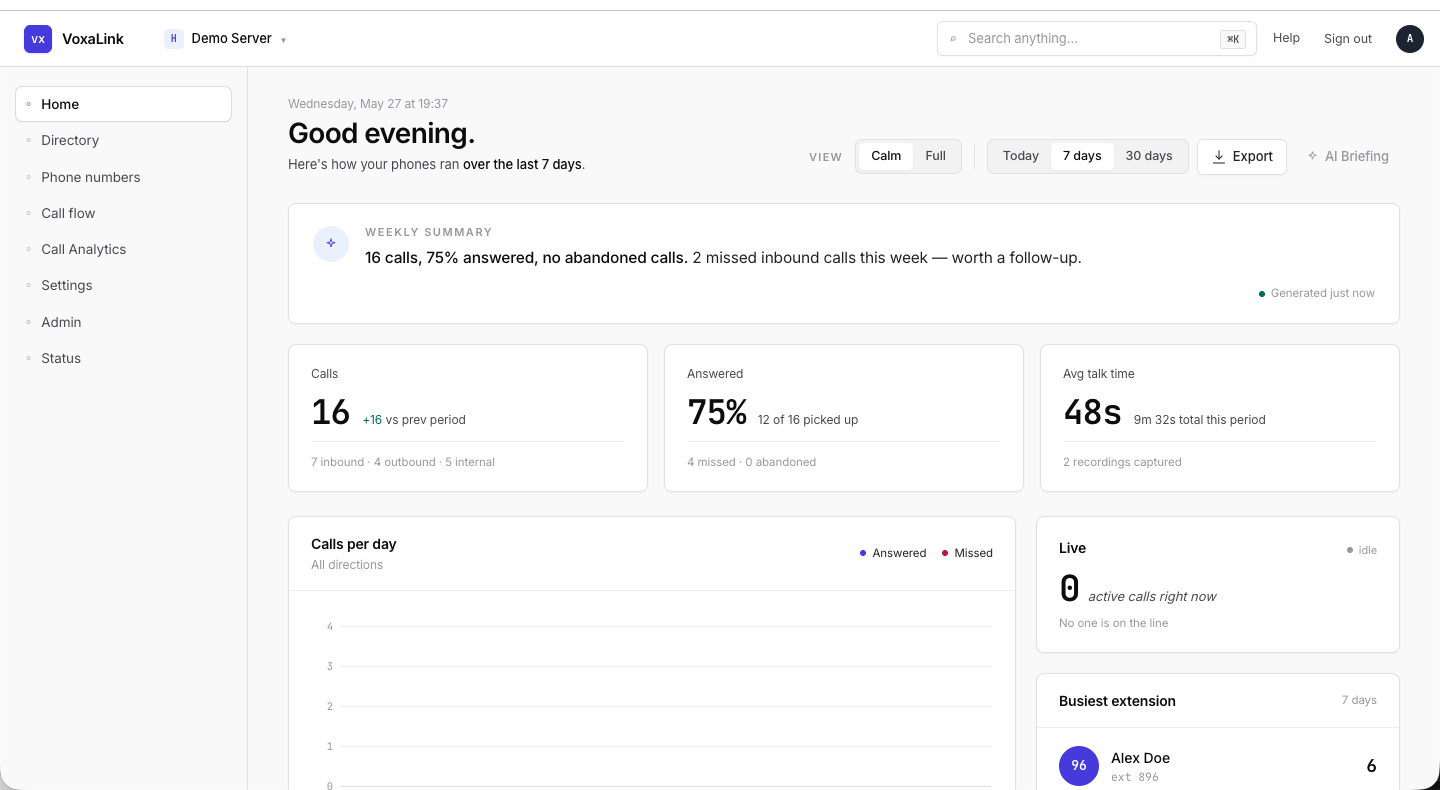 Full portal shell — top bar, sidebar with sub-nav open, content pane.