Admin
Reference material for admin.
/portal/advanced/webhooks
Tenant-level administration. (Server / reseller admin is elsewhere and not in this guide.)
| Sub-page | URL | Purpose |
|---|---|---|
| Webhooks | /portal/advanced/webhooks | Outbound HTTP requests fired on call events. |
| Devices | /portal/advanced/device-management | Desk phones bound to MAC (or DECT IPEI) addresses. |
| Locations | /portal/advanced/locations | Physical addresses associated with this tenant. Used for E911, billing region, and per-location call routing. |
| Location assignments | /portal/advanced/location-assignments | Map each extension to a physical location. |
| Button templates | /portal/advanced/button-templates | Per-vendor / model button-key profiles. |
| User page control | /portal/advanced/user-page-control | Decide what app features tenant users can see and edit on their own user page. |
| CRM integrations | /portal/advanced/crm-integration | Connect the phone system to external CRM, helpdesk, identity, and conferencing tools. |
Webhooks
Outbound HTTP requests fired on call events so other systems can react in real time. Configure one URL + method per event; the password field is write-only — leave blank to keep the existing one.
The page lists every available event under an Action URLs header. Each event collapses to a single row showing the friendly name, the underlying acturl key (e.g., acturl_call), and an ON/OFF pill on the right.
Click a row to expand it and edit URL, method, and password.
Sample events visible on the live deployment: Call CDR, Wakeup call, Wakeup cleared, Wakeup missed, DND enabled, DND cleared, Room cleaned. The full list is longer.
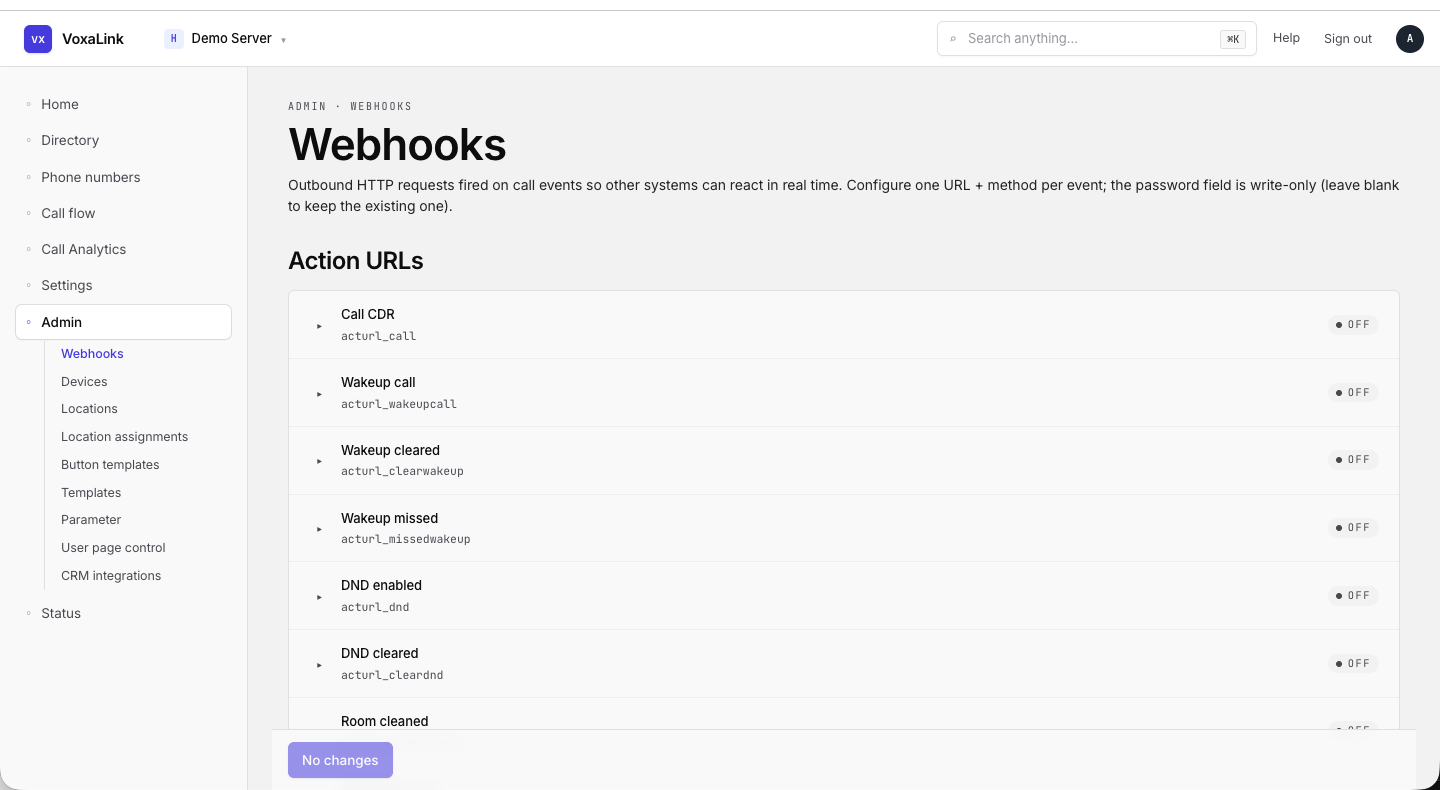 Webhooks — Action URLs list with seven events visible, all OFF.
Devices
Provisioned desk phones bound to MAC addresses (or DECT IPEI). Each device can be assigned to one or more extensions.
Tabs: MAC · IPEI (each with its own count).
Toolbar
| Element | What it does |
|---|---|
| Action dropdown | "Please select an action" — bulk actions on selected rows. |
| Search | Filter the table. |
| Columns | Pick which columns to show. |
| Add | Add a new device. |
Table columns: MAC · PAIRING · NAME · VENDOR · MODEL · VERSION · ADDRESS · RPS · EXTENSION · TEMPLATE.
Pagination: Result Length dropdown (default 25) plus Prev / Next.
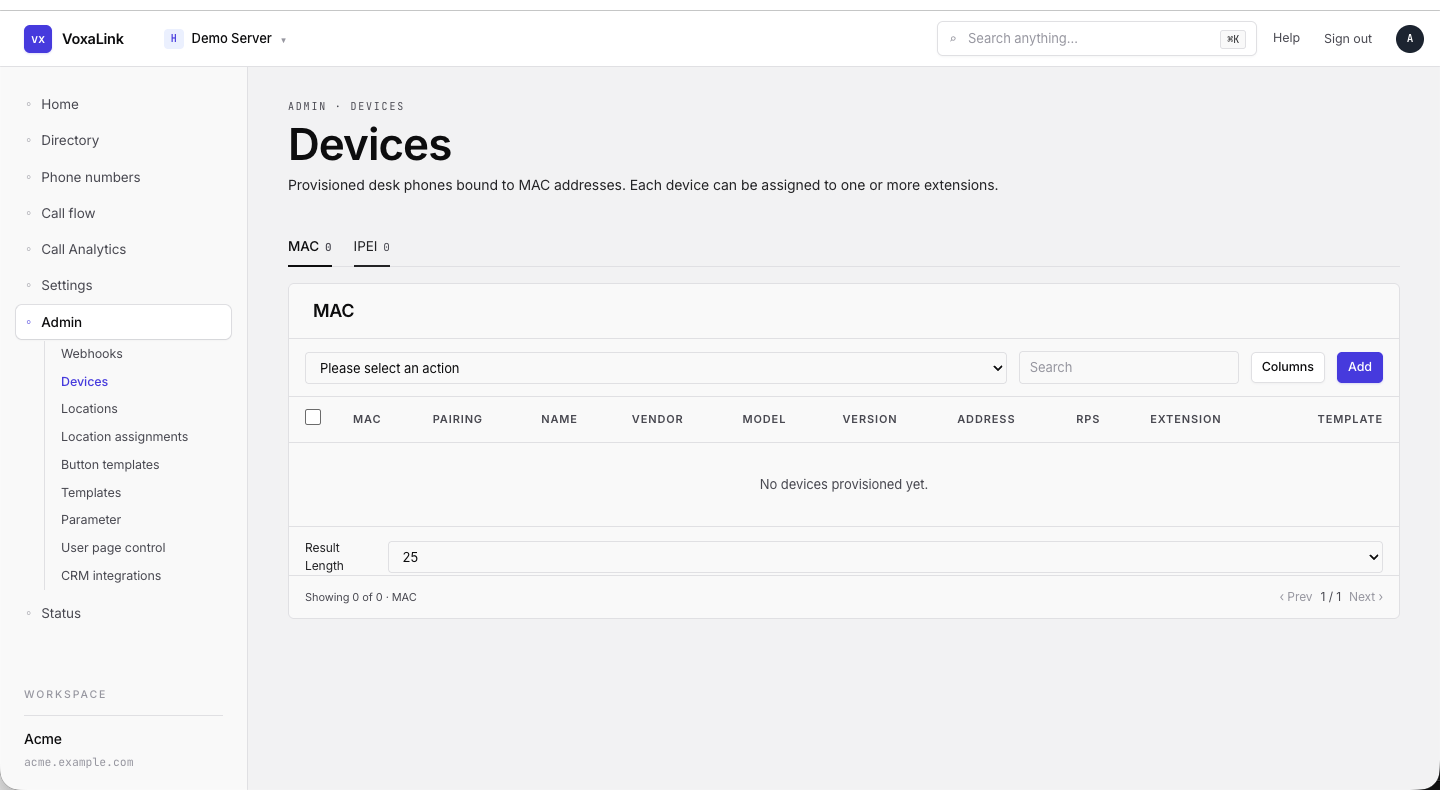 Devices — MAC tab, empty state with the action dropdown / search / Columns / Add toolbar.
Locations
Physical addresses associated with this tenant. Used for E911, billing region, and per-location call routing.
| Element | What it does |
|---|---|
| Filter | Search by name, city, state. |
| Count | "X of Y". |
| + Add location | Opens the inline create form. |
| Name / City / State / Country / Active / Actions | Per-row summary. |
| Empty state | "No locations yet. Click "+ Add location" to create one." |
Location assignments
Map each extension to a physical location. Inherited by users for E911 routing and per-extension billing.
| Element | What it does |
|---|---|
| Filter | Search by extension or location. |
| Count | "X of Y". |
| User (extension) | Each extension on the tenant. |
| Current location | Dropdown of locations (e.g., "0 NOT IN LIST" when unassigned). |
| Save | Per-row Save button, active when the value has changed. |
Button templates
Per-vendor / model button-key profiles. Apply a template to extensions to set what each line key, soft key, and expansion-module key does.
| Element | What it does |
|---|---|
| Filter | Search templates. |
| Add | Open the create dialog. |
| Name / Template for models / Action | Per-row summary. |
Editing a template opens the inline button-editor: Slot · Name · Mode · Value · Label · delete.
User page control
Decide what app features tenant users can see and edit on their own user page. Each feature has three states: enabled, disabled, or system default.
Sections (left sidebar): Page-level · App settings · Features · Call Forwarding · Mailbox · Profile picture · Preferences · Device selection · Notifications · Desktop phone buttons · Cell phone numbers · Used Tokens and Passkeys · CRM Settings · Google · ActiveSync.
Page-level controls
Top-level toggles that gate which extensions, calls, and home-screen widgets the mobile app exposes to users.
| Field | What it does |
|---|---|
Extensions to show (appexts) | Pick which extensions appear on the user page. |
User will see calls of all users (appcalls) | Visibility of the tenant-wide call list. |
Start new calls (appremotedial) | Allow the user to start a call from the app. |
Content for the home screen (apphomescreen) | Choose what the home screen shows. |
For other sections every row is a feature with a three-state toggle: Default / On / Off. Each row shows the feature label and the API key underneath.
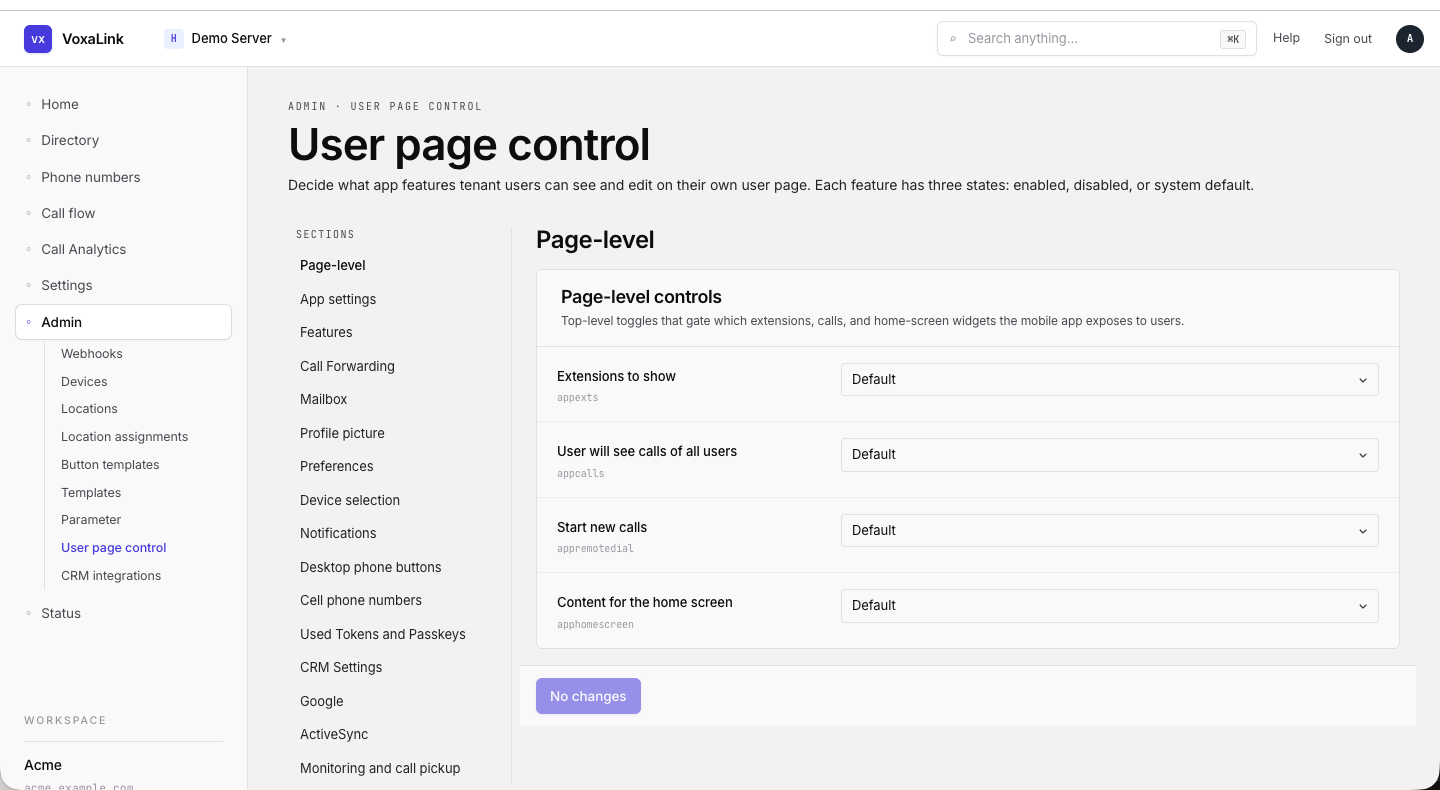 User page control — Page-level section with the four top-level dropdowns.
CRM integrations
Connect this phone system to external CRM, helpdesk, identity and conferencing tools so inbound calls pop the matching contact and outbound activity is logged automatically.
| Element | What it does |
|---|---|
| Filter | Search by name, identifier, or description. |
| Category pills | All · CRM · Helpdesk · Identity / Directory · Messaging · Video conferencing · Industry-specific. |
Each integration appears as a card with logo, display name, description, identifier (e.g., hubspot, salesforce), a status pill (Connected / OAuth-only / On server / Not on server), and Configure →.
A live deployment shows HubSpot, Salesforce, Zoho CRM, Pipedrive, Microsoft Dynamics 365, monday CRM, HighLevel, ActiveCampaign, Odoo, plus more on other category tabs.
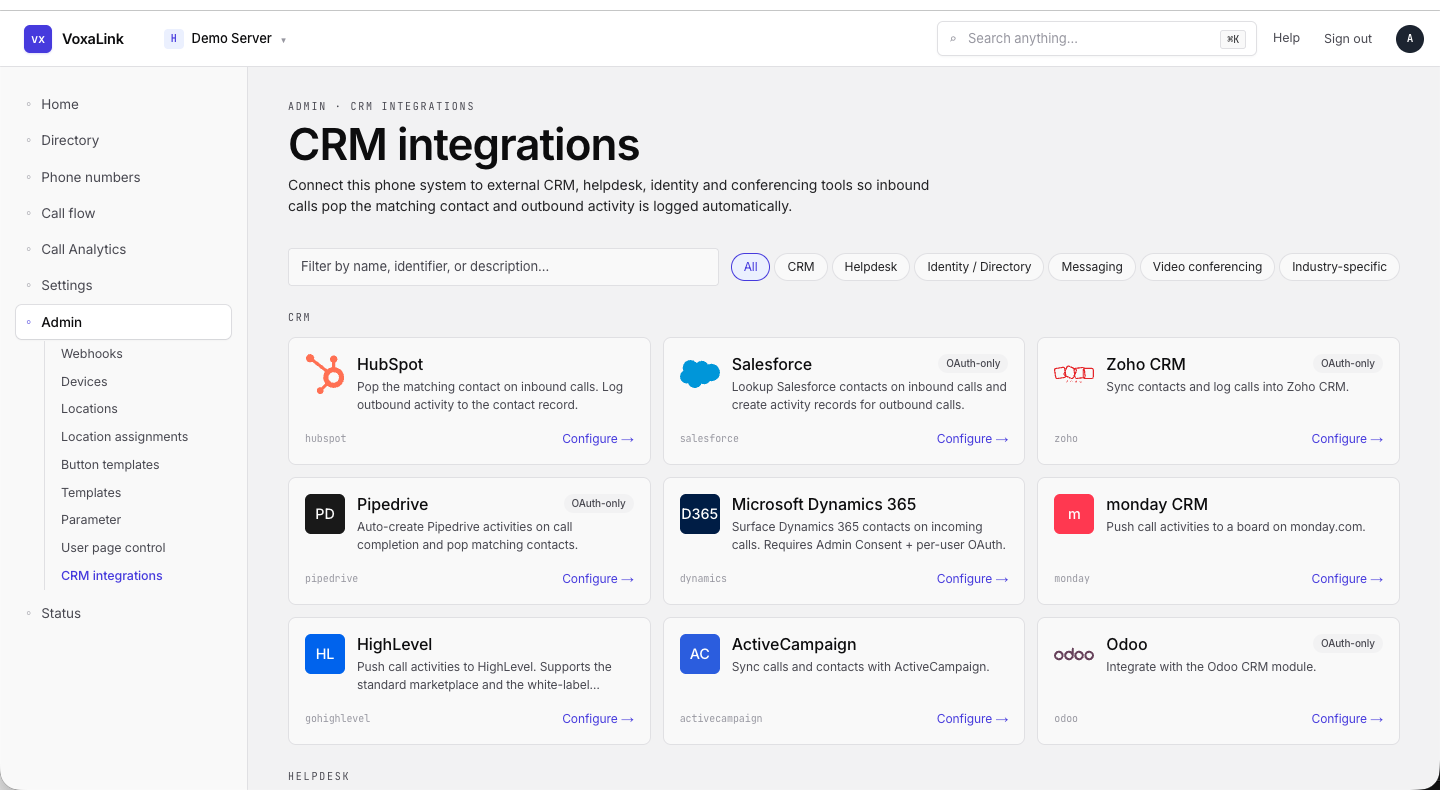 CRM integrations — All category with nine cards visible.