Settings
Reference material for settings.
/portal/settings/general
Tenant-wide defaults. Every Settings page has a sticky bottom bar showing the unsaved change count plus Save and Reset. The bar reads No changes when the page is clean.
| Sub-page | URL | Purpose |
|---|---|---|
| General | /portal/settings/general | Tenant identity, default routing, language, music on hold, caller IDs, hours of operation. |
| Address book | /portal/settings/address-book | Tenant-wide contacts. |
| Voicemail | /portal/settings/voicemail | Mailbox defaults, PIN policy, email delivery, voicemail feature codes. |
| Groups | /portal/settings/groups | Permission groups and member assignments. |
| Music on hold | /portal/settings/music-on-hold | Hold tunes. |
| Audio library | /portal/settings/upload-audio | IVR prompts, announcements, alerts. |
| Star codes | /portal/advanced/star-codes | Feature dial codes (e.g., *72 to forward). |
General
A wide page. The left sidebar selects a Section; the right pane shows that section's cards. Each card has a small ON THIS PAGE mini-index of the cards inside it.
Section list (left sidebar)
| Section | What you control |
|---|---|
| General | Tenant identity, defaults. |
| Callback Handling | What happens when a queue calls back a caller. |
| Redirection | Per-tenant default redirection settings. |
| From/To Headers | Defaults for the From and To SIP headers. |
| CDR Settings | What is included in CDR exports. |
| Recording defaults | Per-direction recording and transcription toggles. |
| Email Settings | SMTP and email delivery defaults. |
| Midnight Events | Scheduled jobs that run nightly. |
| Provisioning Parameters | Tenant-wide provisioning overrides. |
| Hidden | Advanced fields not normally edited. |
General section example fields
| Field | What it does |
|---|---|
| Name of this tenant | Descriptive name used in system emails and shown in the portal title bar. |
| Default dial plan | Dial plan applied to outbound calls when an extension hasn't picked its own. |
| Timezone | Timezone used for schedules, CDR timestamps, and time-of-day routing on this tenant. |
| Default location | Physical location applied to extensions that don't have their own location assigned. |
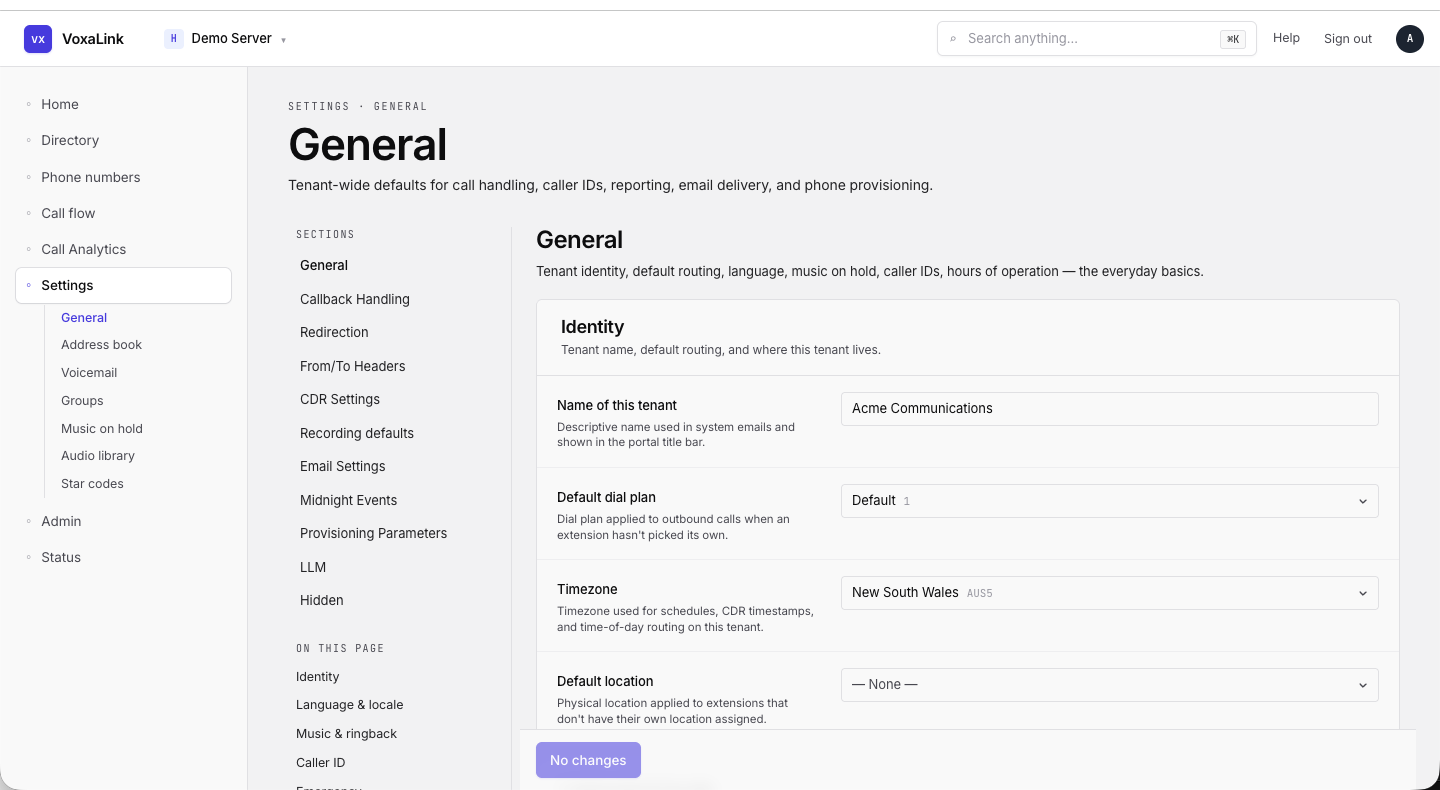 Settings → General — section sidebar and Identity card visible.
Address book
Tenant-wide contacts shown in user phones' directories and used for inbound caller-name lookup.
| Element | What it does |
|---|---|
| Filter | Search by name, number, or email. |
| Row count | "X of Y". |
| Import CSV/XLSX | Bulk import. |
| Download template | A blank CSV. |
| Clear all (red) | Wipe the address book after confirmation. |
| Display name / Number / Email / Category / Ringtone / Actions | Per-row fields. |
| Create row | A new entry form sits beneath the table — Display name, Number, Email, (optional) category, Ringtone dropdown (Default), + Create. |
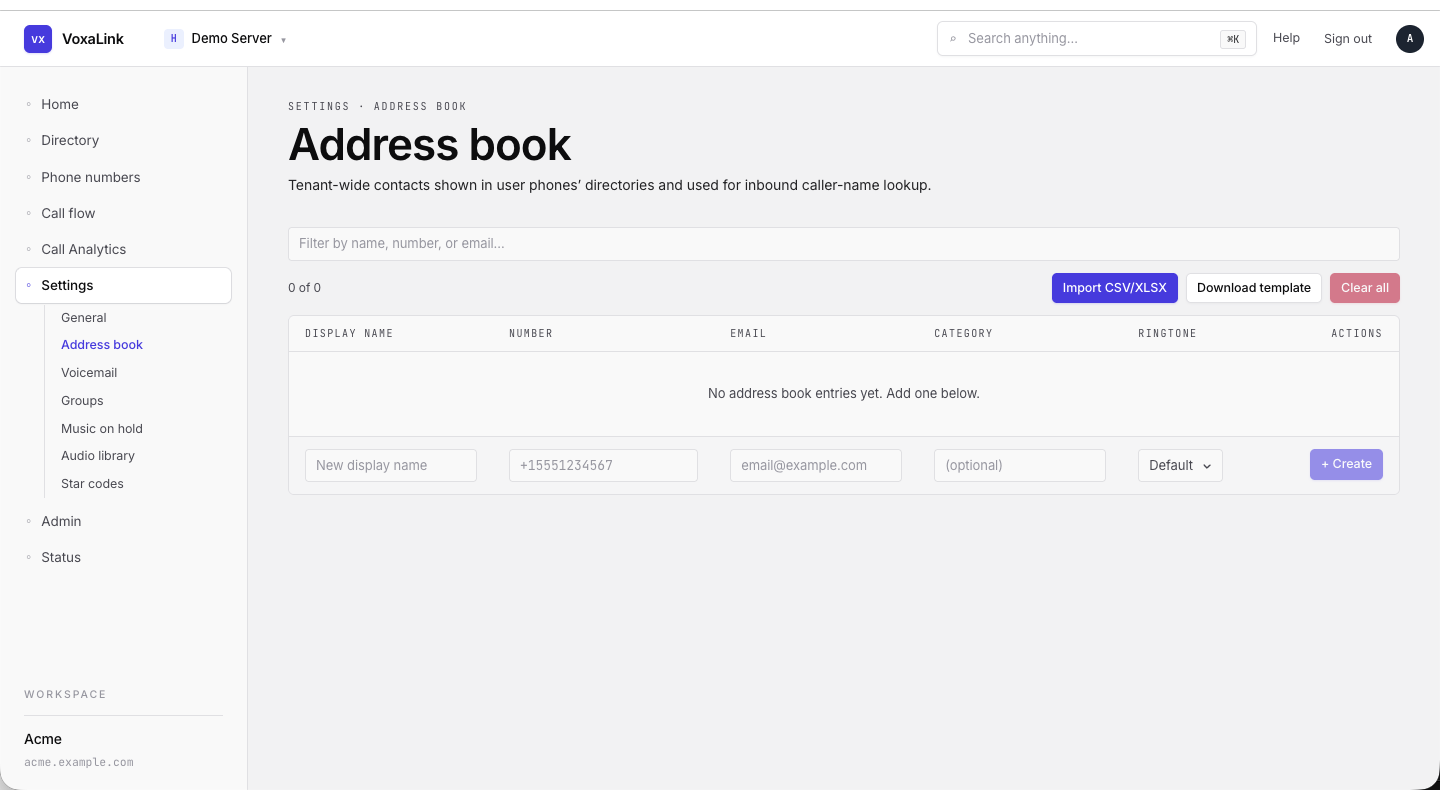 Address book — empty state with the inline Create row at the bottom.
Voicemail
Mailbox defaults, PIN policy, email delivery, and voicemail feature codes.
Sections (left sidebar): General · Mailbox sizing & retention · PIN · Behaviour · Fax (T.38) · Voice to text · Feature codes.
General section example fields
| Field | What it does |
|---|---|
| Time until the mailbox picks up | How long inbound calls ring before being sent to the mailbox. |
| Calling own extension number goes to mailbox | Whether dialing one's own extension drops the user into their mailbox menu. |
| Compress mailbox messages | Use GSM compression to reduce storage at a slight quality cost. |
| Mailbox escape account | Account a caller is forwarded to when they press 0 during a greeting (operator escape). |
| Mailbox direct dial prefix | Dial-prefix that lets users jump straight into a mailbox. |
The remaining sections control mailbox size limits, PIN length and lockout, behaviour toggles, T.38 fax routing, voice-to-text API key, and the dial-pad feature codes for voicemail operations.
Groups
Permission groups and member assignments. Each group governs what its members can do — BLF visibility, pickup, app access, and more.
| Element | What it does |
|---|---|
| Filter | Search by name. |
| Row count | "X of Y". |
| + New group | Create a group. |
| Name | Group name. |
| Members | "All accounts" / "X members" / "No members". |
| Edit | Open the inline editor for the group. |
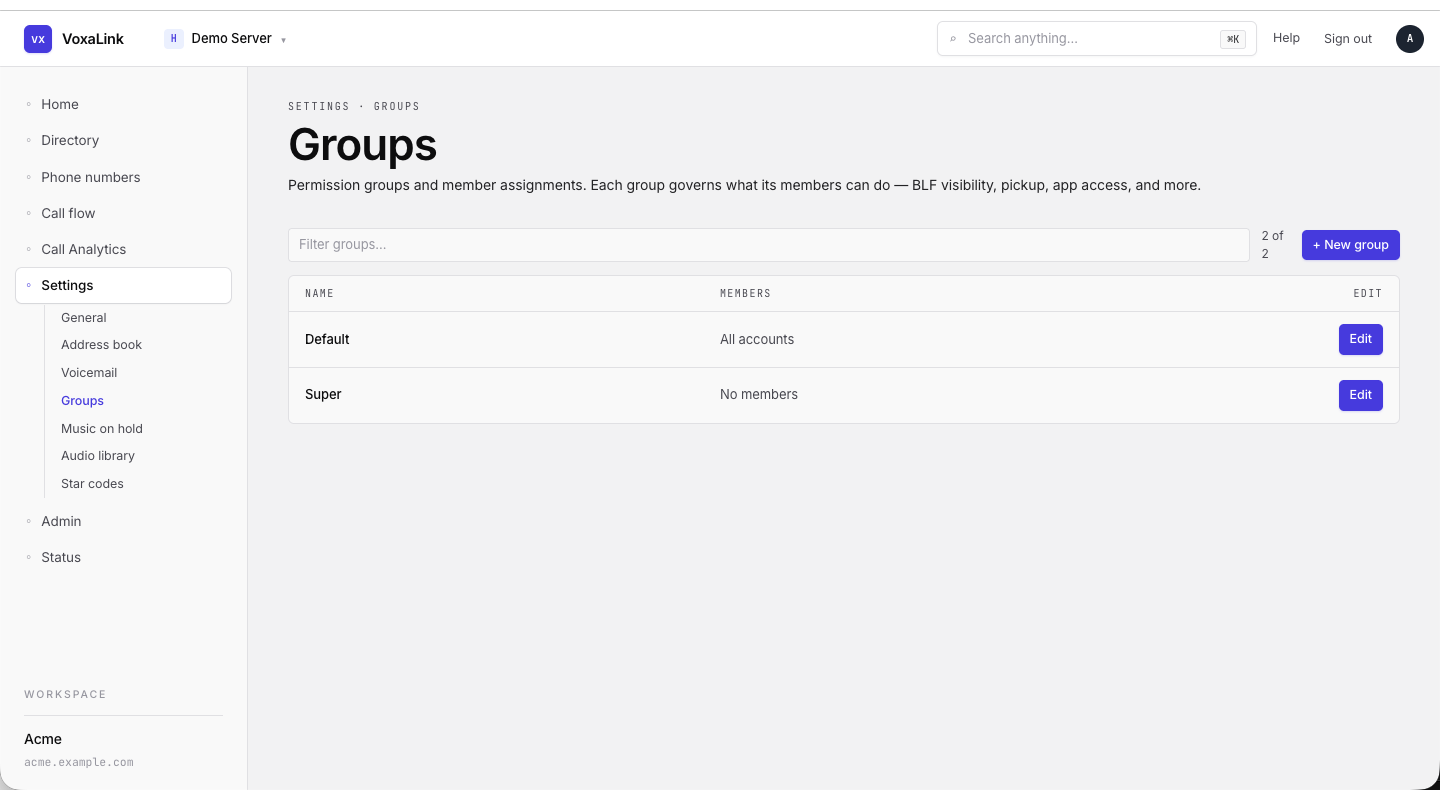 Groups — Default (All accounts), Super (No members).
Music on hold
Hold tunes played to callers on hold. Three default files are seeded; you can upload more.
| Element | What it does |
|---|---|
| Sections sidebar | Single "Music on hold" entry. |
| Table | Per-row Name, File, and Actions (audio player). Default files are marked "Default file" and cannot be deleted. |
| Add new hold music | Name input + Create. Upload the audio from the table after creation. |
Audio library
The shared pool of audio used by IVRs, queues, announcements, and alerts.
| Element | What it does |
|---|---|
| Sections sidebar | Single "Audio library" entry. |
| Table | Per-row Name, File, Actions. |
| Add new audio file | Name input (placeholder welcome-prompt) + Create. Upload the WAV/MP3 from the table after creation. |
Star codes
/portal/advanced/star-codes
Feature dial codes (e.g., *72 to enable forwarding). Leave a field blank to disable that feature for everyone on the tenant.
Sections (left sidebar): Making Calls · Transferring calls · Voicemail · Recording · Miscellaneous · Mobile phone · Anonymous Calls · Call Center · Call Forwarding.
Making Calls example fields
| Field | Code key | What it does |
|---|---|---|
| Redial | code_redial | Redial the last number. Example: *66. |
| Call Return | code_return | Call back the most recent caller. Example: *69. |
| Intercom | code_intercom | Open an intercom channel to a specific extension. Example: *90. |
The remaining sections expose the same shape — a labelled code field per feature.
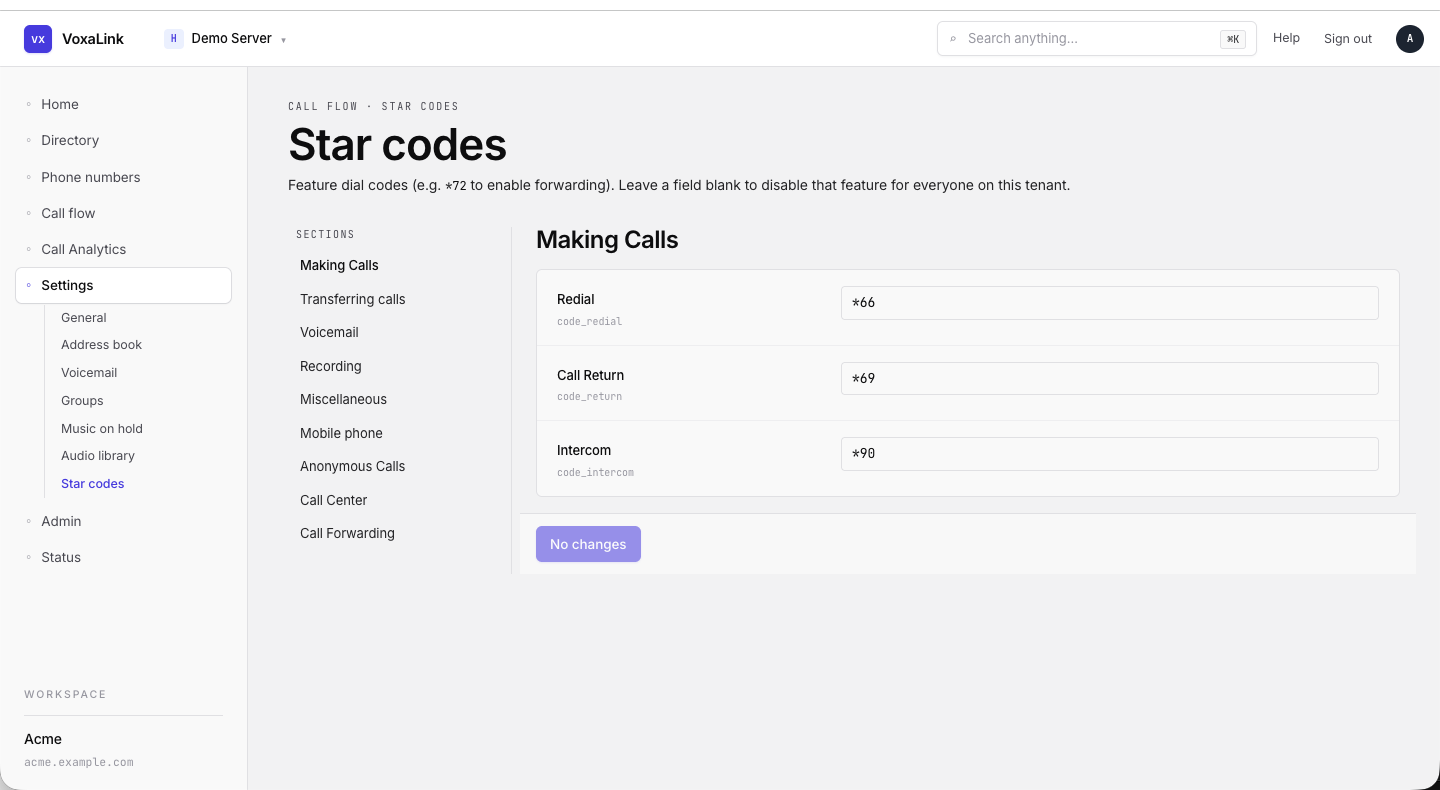 Star codes — Making Calls section with three code fields.