Call flow
Reference material for call flow.
/portal/call-flow
The landing page is Routing & call handling — a 3-column grid of cards, one per account type, with the existing count.
| Card | Goes to | What it is |
|---|---|---|
| Voice agents | /portal/call-flow/voice-agents | AI phone agents built in the visual builder. |
| Auto attendants | /portal/accounts/attendants | Classic touch-tone IVR menus — welcome, dial-by-digit, dial-by-name, time-of-day routing. |
| Conferences | /portal/accounts/conferences | Always-on conference rooms with PINs and dial-in numbers. |
| Ring groups | /portal/accounts/hunts | Ring multiple extensions in sequence, parallel, or random order. |
| Call queues | /portal/accounts/acds | Automatic call distribution — queue callers, skill-route, and report on agents. |
| Paging groups | /portal/accounts/paging | One-way overhead announcements to a set of phones. |
| Service flags | /portal/accounts/srvflags | Time-of-day and on/off switches that other accounts branch on. |
| Park orbits | /portal/accounts/orbits | Numbered slots callers can park live calls into. Pick one up from any phone by dialling the orbit number. |
Each card has Manage → and + New {singular}.
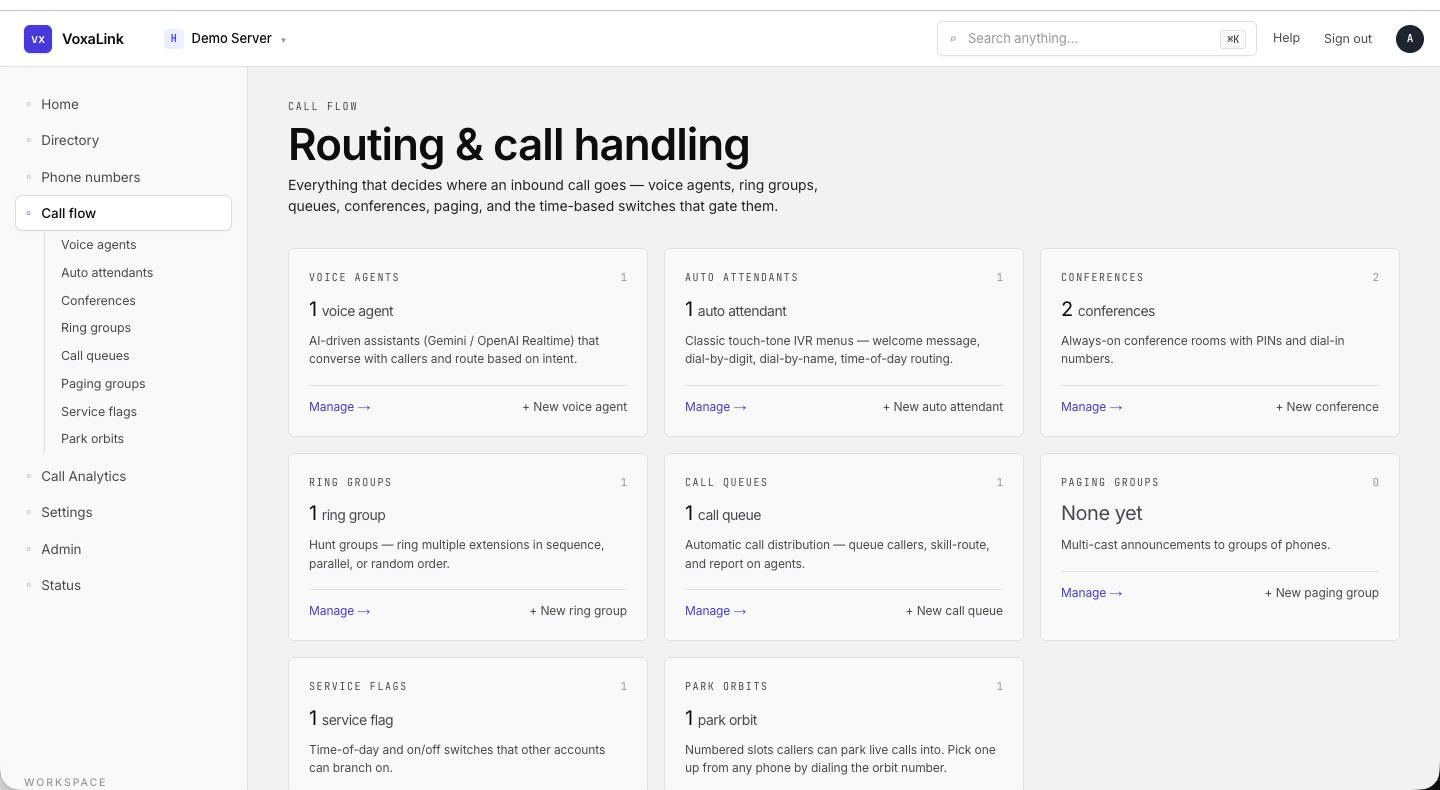 Call flow landing — eight cards in a 3-column grid.
Voice agents
/portal/call-flow/voice-agents
Voice agents are AI-driven phone-call workflows you design in the visual builder. This guide does not cover the builder itself — see Voice Agents - Portal User Guide.
The list page exposes:
| Control | What it does |
|---|---|
| Title | Voice agents. |
| Subtitle | "AI phone agents that answer or place calls for your team. Each one follows a conversation you design." |
| + New voice agent | Creates a new agent and opens the builder. |
| Tabs | All · Live · Drafts · Disabled — with counts. |
| Search | Filter by name, number, description. |
| Direction filter | All · Inbound · Outbound. |
| List / Cards toggle | Display style. |
Each agent card / row shows the avatar, name, status pill (Live / Draft / Disabled), description, Direction, Account, Domain, and Delete / Open buttons.
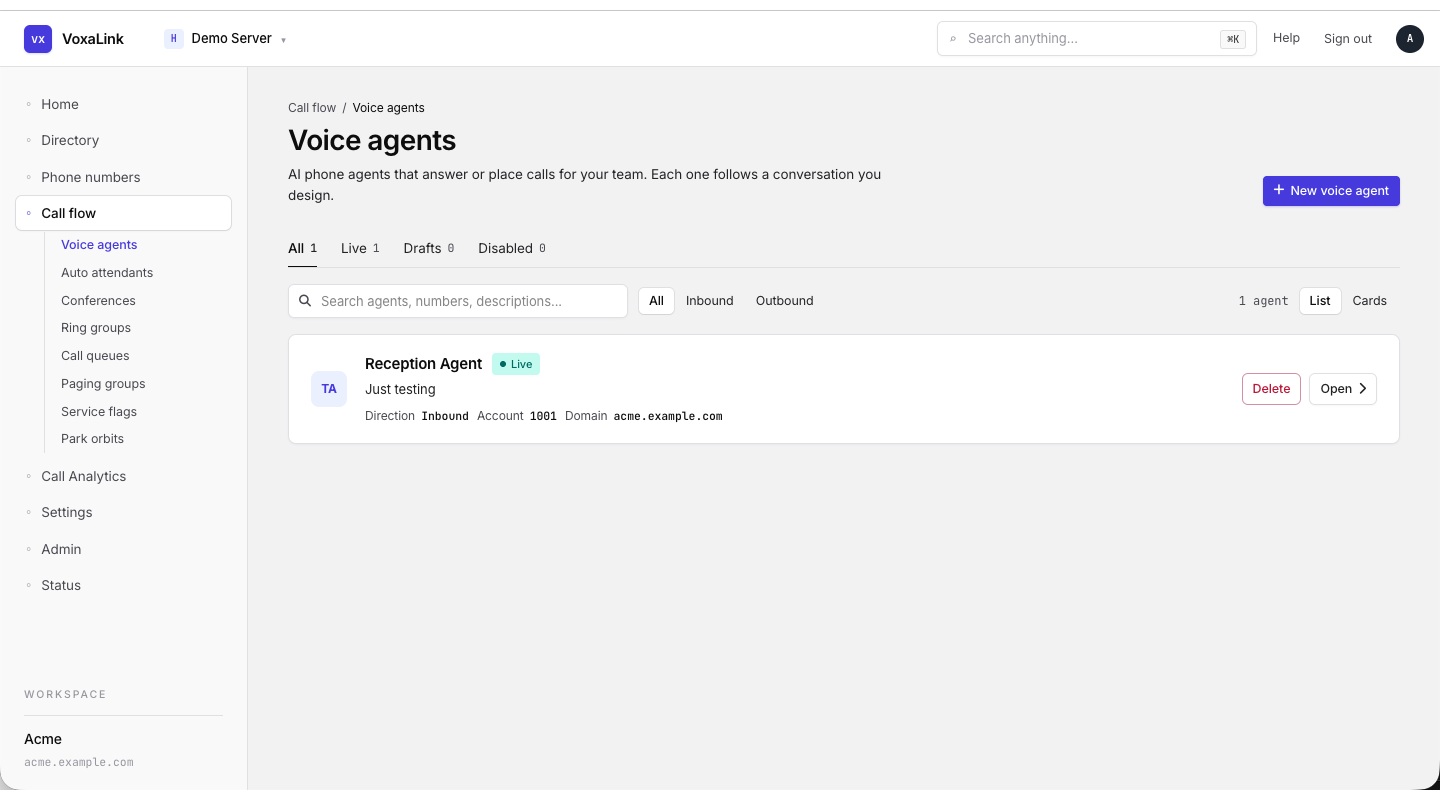 Voice agents — All tab, one Live agent shown with direction/account/domain meta.
Shared list / create pattern
Auto attendants, conferences, ring groups, call queues, paging groups, service flags, and park orbits all use the same shell. The fields on the editor differ per type.
List page
| Element | What it does |
|---|---|
| Breadcrumb | Directory / {Type Label}. |
| Title | The plural type label. |
| Subtitle | "{count} {singular}". |
| + New {singular} | Opens the create form. |
| Table | Columns: Name (click to edit), Display, Detail (type-specific), Action (Edit →). |
Create form — same fields as the + Add a person form for extensions, minus the personal name and email/password fields:
| Field | Required | What it does |
|---|---|---|
| Extension number | Yes | 3 to 15 digits. Validated for collisions against every other account on the tenant. |
| Display name | No | Optional friendly label. |
Editor
Tabs vary by type (see each section). Every editor uses:
- A Sections sidebar on the left, with one card per section.
- The form on the right.
- A Filter… input in the tab strip.
- A sticky Save changes / Reset footer with a red Delete account button.
- A Hidden tab (visible fields, not normally edited) and a Raw JSON tab.
Auto attendants
/portal/accounts/attendants
Classic touch-tone IVR menus. Callers hear a recorded message and route by the digit they press.
Detail column in the list: "—".
Editor tabs: Edit · IVR · Webhooks · Hidden · Raw JSON.
Edit tab sections (left sidebar): Identity · Behavior · Direct destinations · Timeout handling · Redirection · Dial by name.
Common fields:
| Field | What it does |
|---|---|
| Account number(s) | Semicolon-separated extension aliases. |
| Name / Short name / Pronunciation / Note field | Identity. |
| Caller ID | Outbound caller-ID. |
| Account class name | Reporting/billing tag. |
| Dial plan | Outbound dial plan for any callouts. |
| Timeout redirect / handling / wait | What happens if the caller says nothing. |
| Direct destinations 0–9 | Per-digit prompt audio + destination + gap. |
| Welcome greeting (IVR tab) | Custom welcome audio + conditional alternates per service flag. |
| Entering the destination (IVR tab) | Toggle the spoken hints — dial by name, please enter extension, remain on line. |
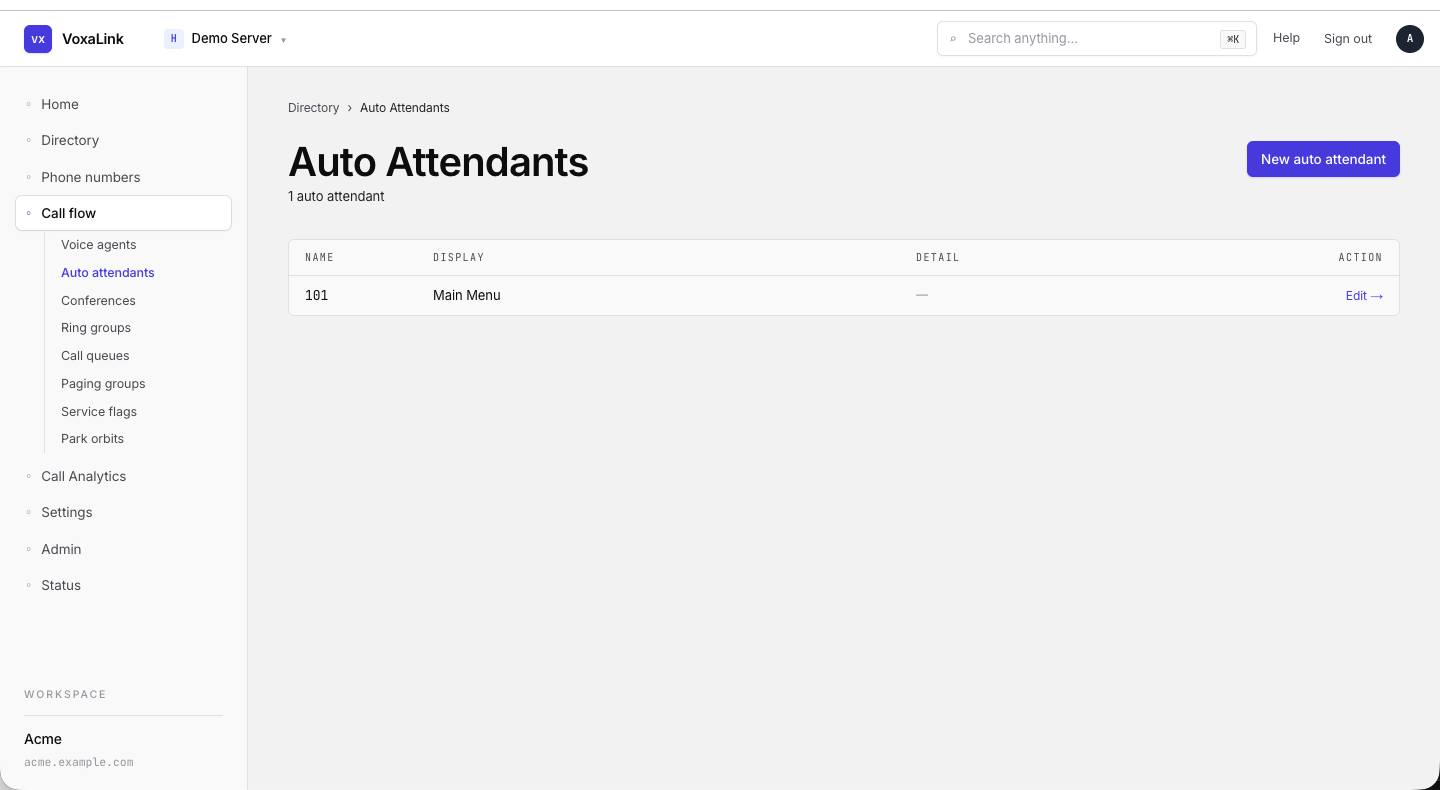 Auto attendants list — one entry (AA Test).
Conferences
/portal/accounts/conferences
Always-on conference rooms.
Editor tabs: Edit · Hidden · Raw JSON.
Edit sections: Identity · Behavior · Conference Star Codes.
Common fields:
| Field | What it does |
|---|---|
| Identity | Account numbers, name, short name, pronunciation, note, caller ID, dial plan, account class. |
| IVR language | Language for moderator and greeting prompts. |
| Before entering the conference | Ask name / play join tone / silent. |
| Moderator access code | PIN that promotes the joiner to moderator. |
| Participant access code | PIN required to join. Blank = anyone with the dial-in. |
| PIN digit length | 4–9 digits. |
| Numbers to auto-dial when entering | External numbers the conference dials at start. |
| Record conference / Compress recordings | Store the mixed audio. |
| Music on hold | What participants hear while alone. |
| Maximum participants | Room cap. |
| Entering / Exiting conference behaviour | Mute on entry, wait for moderator, etc. |
| Conference star codes | Moderator dial-pad shortcuts during the call. |
Ring groups (Hunt groups)
/portal/accounts/hunts
The sidebar label is Ring groups but the page title and create button say Hunt groups. Both terms mean the same thing on this portal.
Used to ring several extensions for one inbound call.
Editor tabs: Edit · Hidden · Raw JSON.
Edit sections: Identity · Stages · Behavior · Redirection.
Common fields:
| Field | What it does |
|---|---|
| Identity | Account numbers, name, short name, pronunciation, note, caller ID, account class. |
| Stages | Up to four cascading stages. Each stage: which extensions ring, ring duration, miss handling. |
| Announcement while ringing | Optional audio played to the caller. |
| Ring melody | Direct-call ring tone. |
| From-header | What ringing phones display. |
| Algorithm | Round-robin / longest idle / fewest calls / ordered / random. |
| Recording policy | Inherit / record / transcribe / both. |
| SPAM handling | Redirect and threshold for spam-scored calls. |
| Allow agents to redirect calls | Let answering extensions transfer the call. |
| Call-waiting for agents | Allow a second call. |
| Email for CDR reports / schedule / Email on missed calls | Reporting. |
| Music on hold source / Ringback source | What the caller hears. |
| Redirection | Night mode / after-hours destinations. |
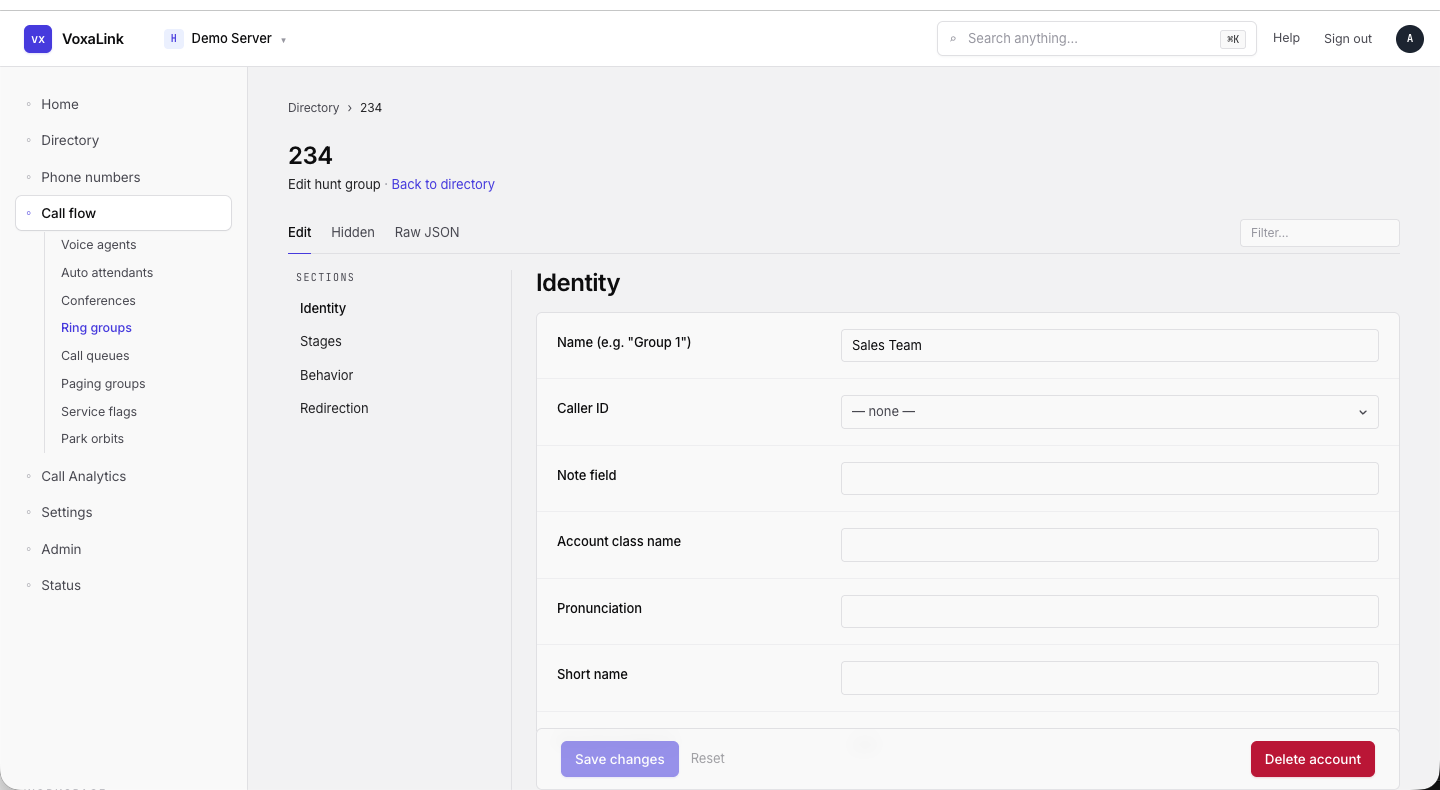 Hunt group editor — 234, sections sidebar with Identity selected.
Call queues
/portal/accounts/acds
Hold callers in line and distribute them to available agents. This is the most fully featured account type.
Editor tabs: Edit · Caller Setup · Calls · Agents · Call Log · Recorded Calls · Outbound Calling · Numbers · Webhooks · Hidden · Raw JSON.
Edit sections (left sidebar): Identity · Agent setup · Agent selection · Caller in queue · Miscellaneous · Monitoring · Redirection.
Common fields:
| Section | Field | What it does |
|---|---|---|
| Identity | Display name | Descriptive label shown in admin lists and on agent phones. |
| Caller ID | Outbound caller-ID presented when the queue redirects calls externally. | |
| Note field / Account class name | Admin notes and reporting tag. | |
| Agent setup | Primary agents | Extensions that always belong to the queue. |
| Self-enroll | Star code that lets other extensions join temporarily. | |
| Recovery time | Seconds of wrap-up after each call. | |
| Auto log-out after consecutive misses | Drop an unresponsive agent. | |
| Allow agents to redirect | Let agents transfer. | |
| Agent selection | Queue algorithm | Round-robin / longest idle / fewest calls / ordered / random. |
| Language skill routing | Match callers to agents by language. | |
| Ring stage duration / Agents per stage | How many agents the queue rings and when it widens. | |
| Pool conditions / assignments / colours / parameters | Group agents into pools with thresholds and wallboard colours. | |
| Caller in queue | Welcome message / Wait message | The audio the caller hears. |
| Queue position / Estimated wait time | Announce position and ETA. | |
| Callback option / Callback timeout | Offer a callback instead of holding. | |
| Music on hold source / Recording policy | Standard. | |
| Queue timeout / Timeout destination | Maximum wait and overflow target. | |
| Caller options 0–9 and # | Per-DTMF-key action + destination so the caller can opt out, leave voicemail, etc. | |
| Miscellaneous | Dial plan / Max call duration / Email for CDR reports / Email on missed calls | Standard. |
| Monitoring | Stats | Live counts of calls, registrations, subscriptions. |
| Redirection | Night mode / after-hours | Where to send calls outside open hours. |
Caller Setup tab subdivides into Audio, Upload Messages, Callback, Post-Call Survey, Outbound Calling, and the DTMF Caller Options grid.
Calls / Agents / Call Log / Recorded Calls / Outbound Calling / Numbers / Webhooks tabs are live and historical views around the queue.
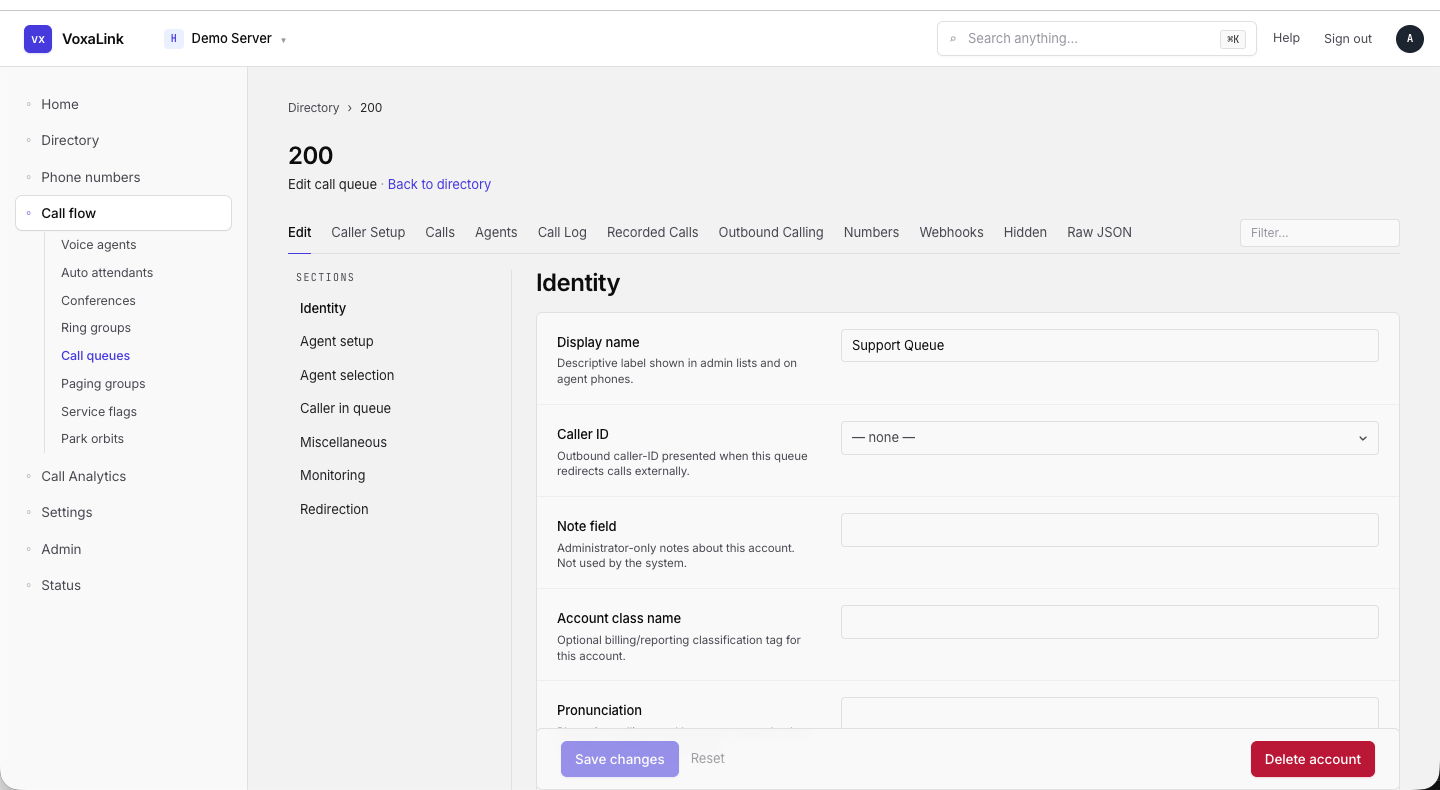 Call queue editor — 200 (Test Queue), Edit tab, Identity section.
Paging groups
/portal/accounts/paging
One-way overhead announcements to a group of devices. Recipients can't talk back.
When the tenant has no paging groups, the page shows an empty state explaining the feature, a Create your first paging group button, and a "HOW A PAGING GROUP WORKS" card with three steps (Dial the page extension → Phones auto-answer on speaker → Announcer hangs up).
Editor tabs: Edit · Webhooks · Hidden · Raw JSON.
Edit sections: Identity · Members · Call Announcement.
Common fields:
| Field | What it does |
|---|---|
| Identity | Account numbers, name, short name, pronunciation, note, account class. |
| Streaming mode | Codec and IP multicast address. |
| Destination | Extensions and accounts the page broadcasts to. |
| Show caller ID | Show who is paging. |
| Enable transfer into paging | Allow inbound calls to be transferred into the page. |
| Play announcement tone | Tone before audio. |
| LAN paging | Use peer-to-peer multicast on the LAN. |
| Codec | Audio codec. |
| Playback method / WAV file | Pre-recorded paging audio. |
| Play page to originator | The originator hears themselves. |
| Audio at page start / end | Optional jingles. |
| Maximum page duration | Cap the length. |
| Confirmation email address list | Notify these addresses when a page runs. |
| Event for sending emails / Attach audio | Reporting. |
| Call announcement | Announce inbound calls only when the account is idle. |
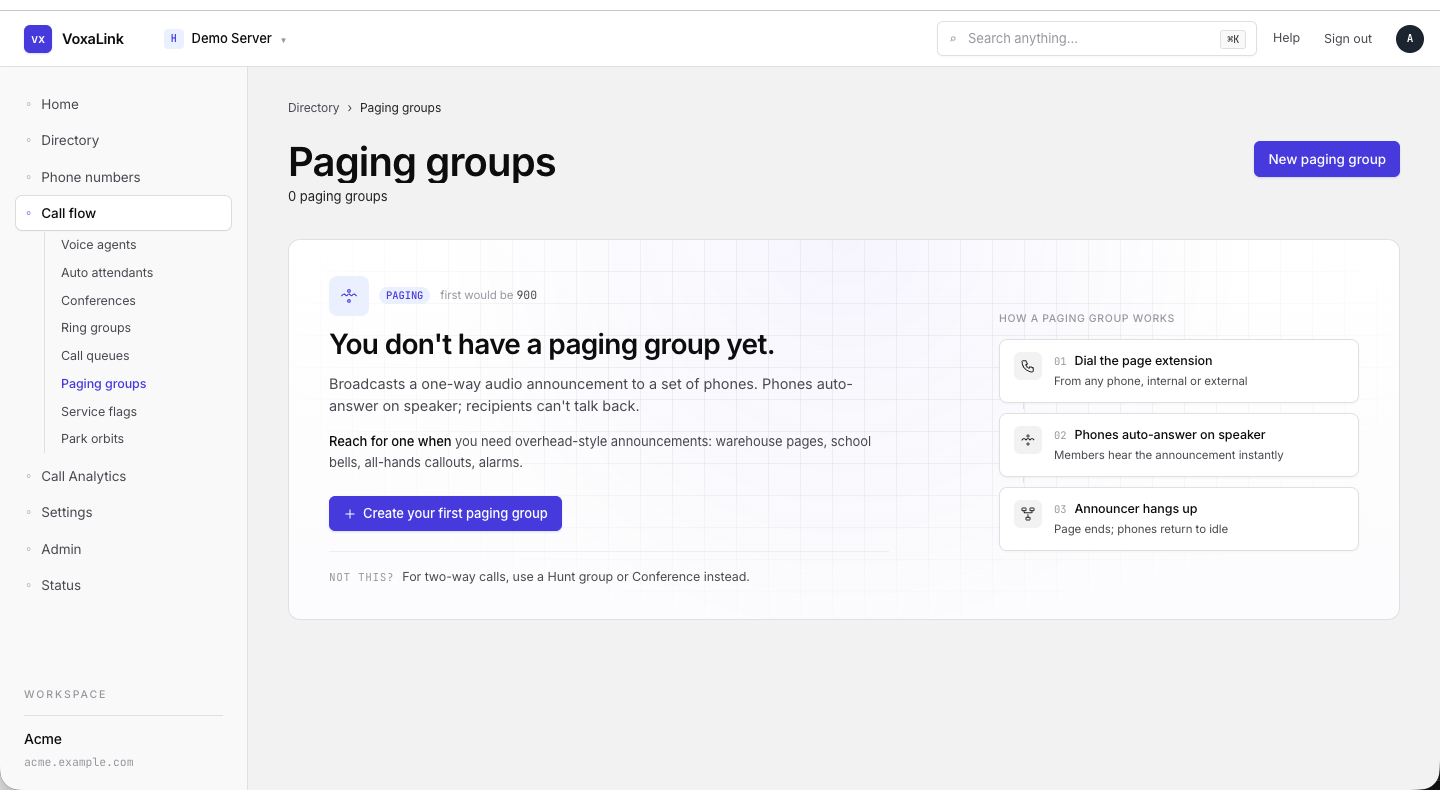 Paging groups — empty state with explanation and "HOW A PAGING GROUP WORKS" card.
Service flags
/portal/accounts/srvflags
Simple on/off switches that other accounts (dial plans, auto attendants, queues) branch on — e.g., open vs. closed.
Editor tabs: Edit · Hidden · Raw JSON.
Edit sections: Identity · Mode & state · Schedule · Google calendar · Automatic page.
| Section | Field | What it does |
|---|---|---|
| Identity | Account number(s) | The number callers and the system use to reach this service flag. |
| Display name | Friendly name shown in directories and the editor. | |
| Short name | Compact label used where space is tight, like phone display screens. | |
| Mode & state | Mode | Manual (you toggle it) or Automatic (a schedule toggles it). |
| Current state | Set or Clear — visible only in Manual mode. | |
| Confirmation tone | Play a tone when the flag is toggled. | |
| When user calls this flag | Behaviour when the flag's number is dialled. | |
| PIN code | Required for an external caller to change state. | |
| Timezone | Used to evaluate the schedule. | |
| Schedule (Automatic) | Logic | Active during the times below, or inactive during the times below. |
| Mon–Sun | Time ranges per weekday. | |
| Holiday hours | Time ranges that apply on Holiday dates. | |
| Events / dates list | Dates that should use Holiday hours instead of the weekday rule. | |
| Google calendar | Calendar identifier | Sync a Google calendar so its events populate Events automatically. |
| Automatic page | Page account / Flag controlling paging / Sound start / Sound end | Broadcast a paging group when the flag changes. |
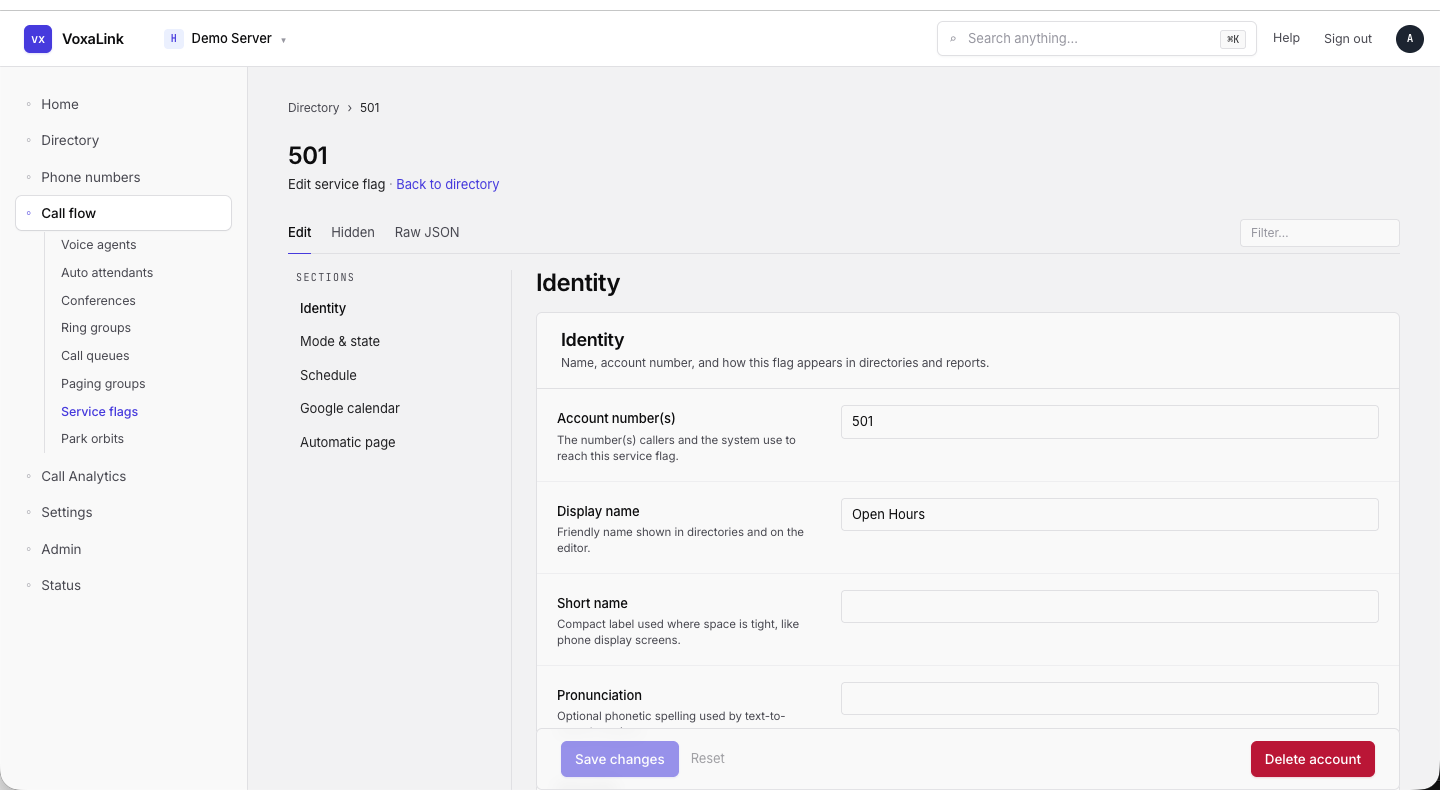 Service flag editor — 501 (test service flag), Identity section.
Park orbits
/portal/accounts/orbits
Numbered slots that hold a parked call until someone retrieves it.
Editor tabs: Edit · Webhooks · Hidden · Raw JSON.
Edit sections: Identity · Park behaviour.
| Field | What it does |
|---|---|
| Account number(s) | The orbit slot number(s) callers and phones use. |
| Pronunciation | Phonetic spelling used by text-to-speech. |
| Note field | Admin-only note. Not used by the PBX. |
| Caller ID | Numbers this orbit is allowed to present as caller-ID. |
| Park behaviour | The message played to the caller after they are parked. |
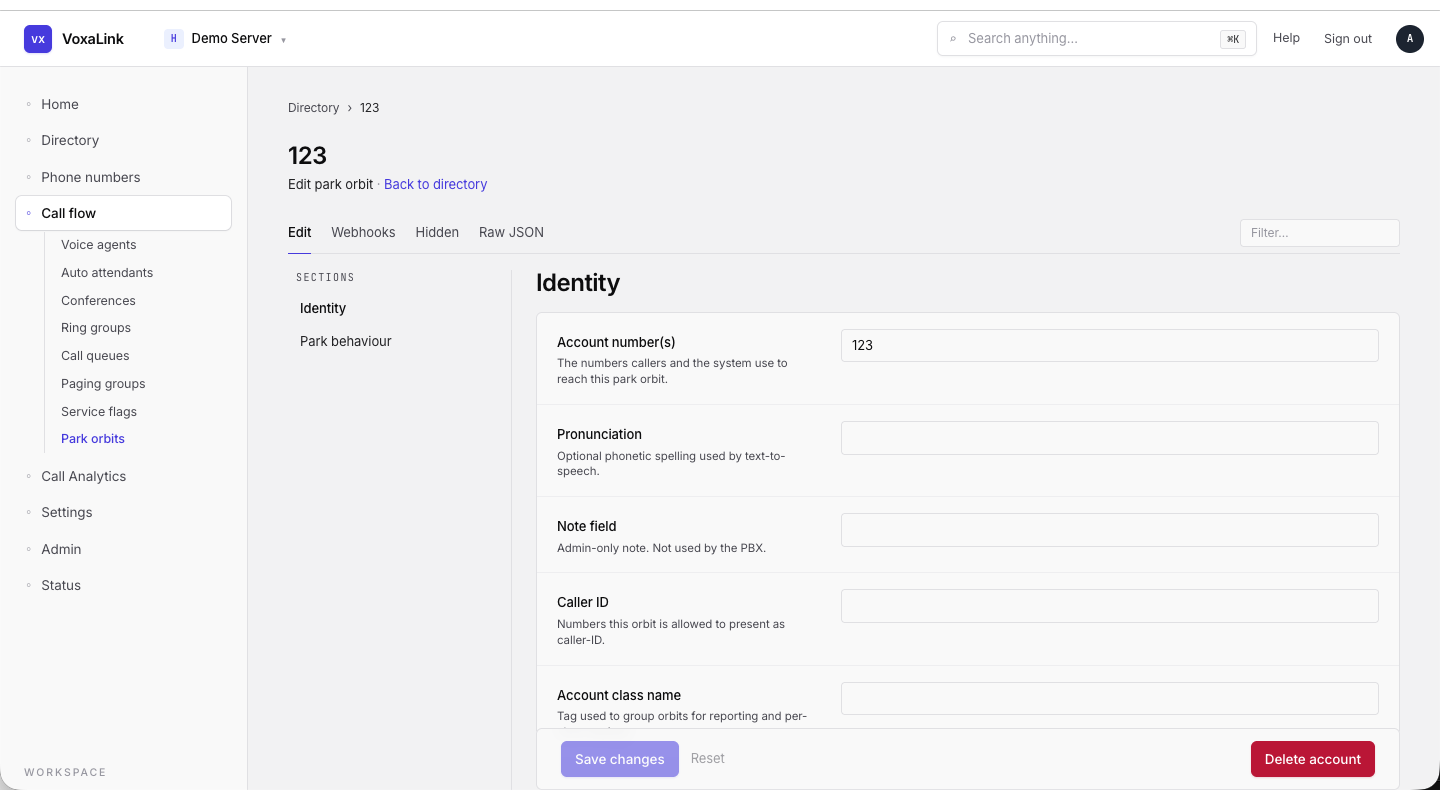 Park orbit editor — 123 (Test Orbit), Identity section.