Phone numbers
Reference material for phone numbers.
/portal/trunks/numbers
The section has two tabs.
| Sub-page | URL | Purpose |
|---|---|---|
| Numbers | /portal/trunks/numbers | Inbound DID list and outbound caller-ID picks. |
| Dial plans | /portal/trunks/dialplans | Pattern → action rules for outbound routing. |
Numbers
Inbound DIDs assigned to the tenant.
Header
| Element | What it does |
|---|---|
| Title | Numbers. |
| Subtitle | "Inbound DIDs assigned to this tenant. Reassign a number to route it to a different account, IVR, queue, or hunt group." |
| Filter input | Live search by number or assigned account. |
| Count badge | "X of Y". |
| + Add number | Opens an inline form to add a new DID. |
Table
| Column | What it shows / does |
|---|---|
| Number | The DID in E.164 format. |
| Trunk | The friendly trunk name (e.g., "SIP Trunk"). |
| Outbound CID | The actual caller-ID value used for outbound presentation. Includes a Use as outbound caller ID toggle beneath it. |
| Assigned account | Dropdown that selects which extension, queue, IVR, or other account this DID delivers to. |
| Save | Becomes active when the row has unsaved changes. |
Each row tracks its own dirty state.
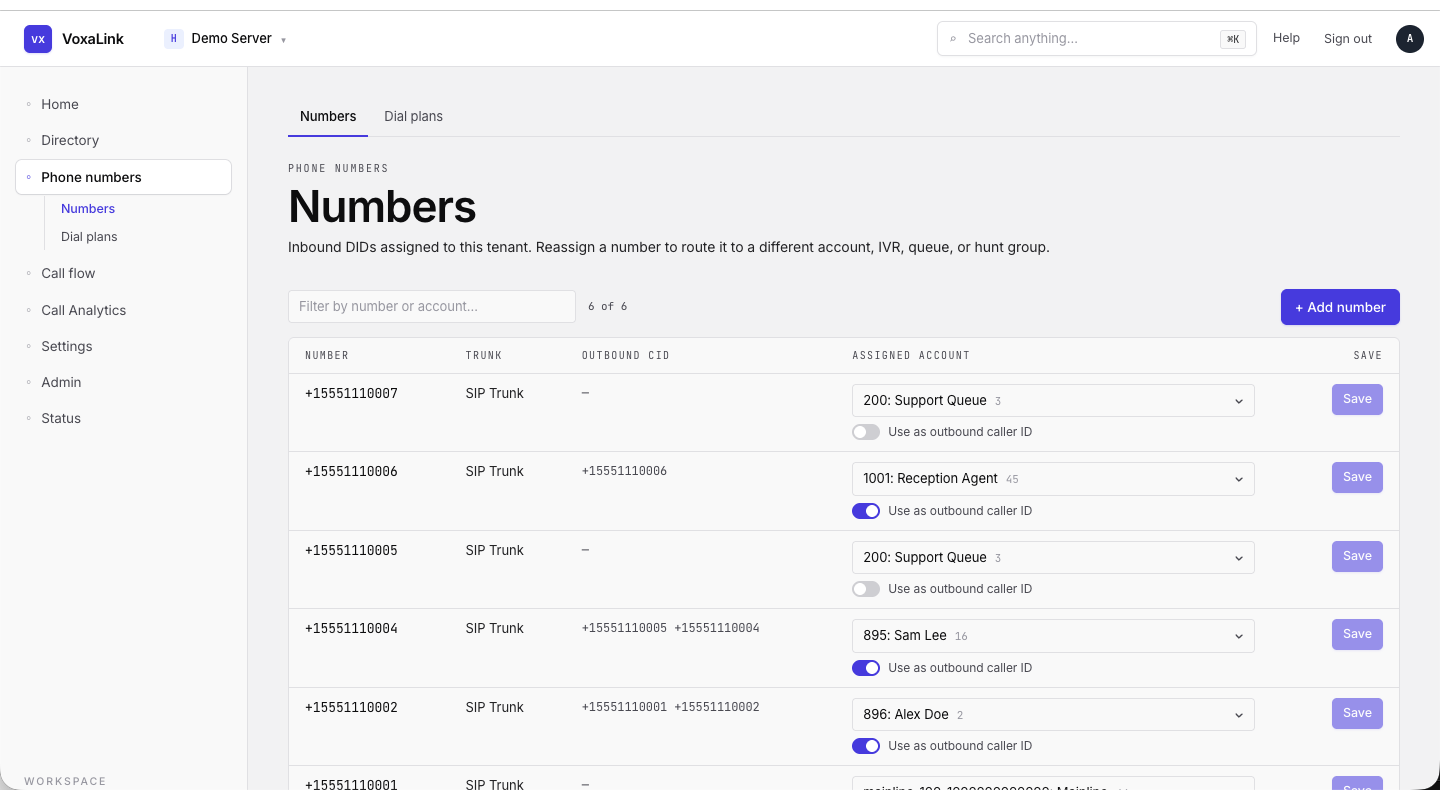 Numbers table — six DIDs, two with outbound CID enabled, one row dirty with Save active.
Dial plans
Ordered pattern → action rules for outbound routing. Each account points to one dial plan; rules fire in preference order — the lowest preference number first.
List
| Column | What it shows |
|---|---|
| Name | The dial plan name. Click to open the editor. |
| Scope | Global (visible to other tenants on this server) or Local (this tenant only). |
| Status | In use (green dot) when an account points to it, Unused (grey dot) otherwise. |
| Edit → | Opens the editor. |
The + Add dial plan button at the top-right creates a new plan.
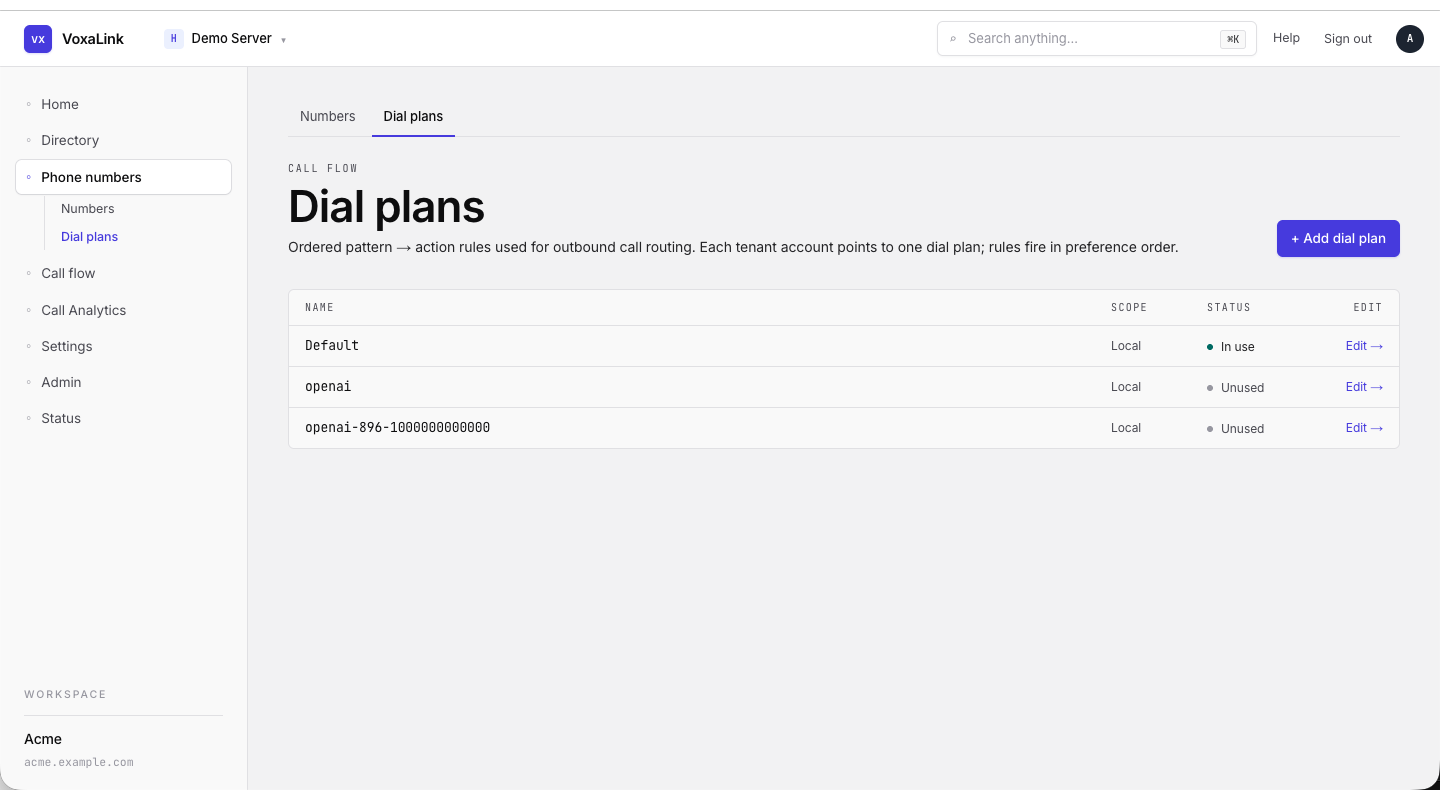 Dial plans list — Default in use, two unused custom plans.
Editor
Opens at /portal/trunks/dialplans/{id}.
The page is split into Settings and Rules with a sticky Save changes / Reset footer; an UNSAVED indicator lights up when there are dirty fields.
Settings card
| Field | What it does |
|---|---|
| Name | Display name. |
| Trunk-name glob | Restricts the plan to trunks whose name matches the glob. Blank = no restriction. |
| Star codes | Star-code shortcuts that the plan recognises. |
| Global | When on, the plan is visible to every tenant on the server. |
| DNC | Apply the Do-Not-Call list before placing the call. |
| Internal | Mark the plan as internal-only. |
A ● CHANGED badge appears in the top-right of the card when there are unsaved edits.
Rules
| Column | What it does |
|---|---|
| Pref | Evaluation order — lower runs first. Auto-renumbered when rows move. |
| Trunk / Action | The carrier trunk (or special action) the call leaves on. |
| CMC | Calling-party Match Code — restrict by category. |
| Pattern | Regex/glob the dialled number must match. |
| Replacement | Transformation applied before the call is dialled. |
| Service Flag | A flag that must be Set for the rule to fire (time-of-day gates). |
| Status | Active / Disabled. |
| Actions | Move up, move down, delete. |
+ Add rule appends a blank rule.
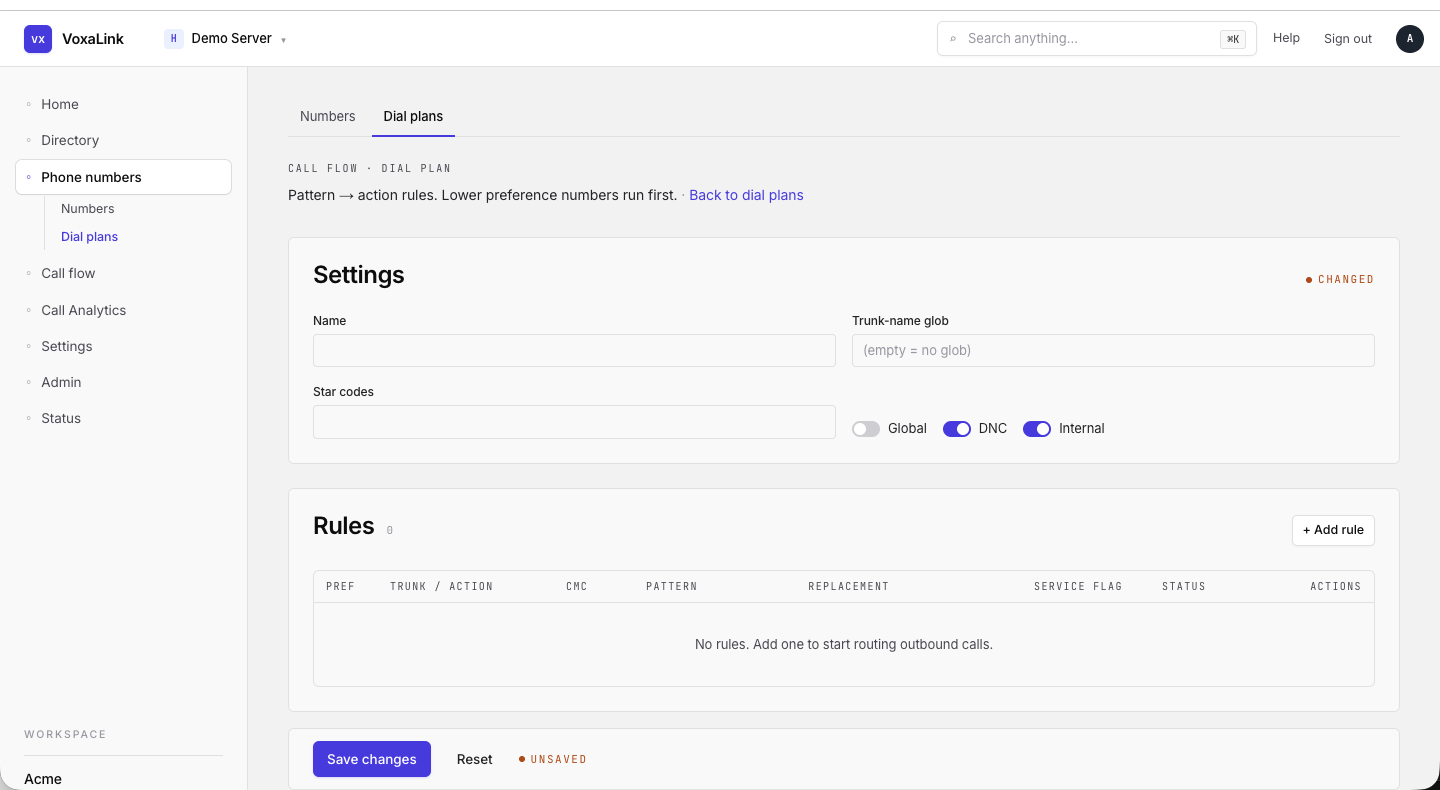 Dial plan editor — Default — Settings card + empty Rules table + sticky Save bar with UNSAVED indicator.